Lumara 2.0 for Android and iPhone: Moon calendar, widgets and alerts
Lumara 2.0 is a free update for Android and iPhone. It adds a Moon calendar to 2030, the Moon on any date from 1900 to 2100, home screen widgets (and Lock Screen widgets on iPhone), and alerts for full moons, lunar eclipses and solar storms that stay off until you turn them on. There are still no ads, no account and no in-app purchases.
Lumara shows the Moon's phase for your city and the latest photos of the Sun, in three tabs: SUN, LIVE and MOON. The tabs are the same as in 1.1.1. Most of the new work is inside the MOON tab, and the store name is now Lumara: Moon Phases & Live Sun.


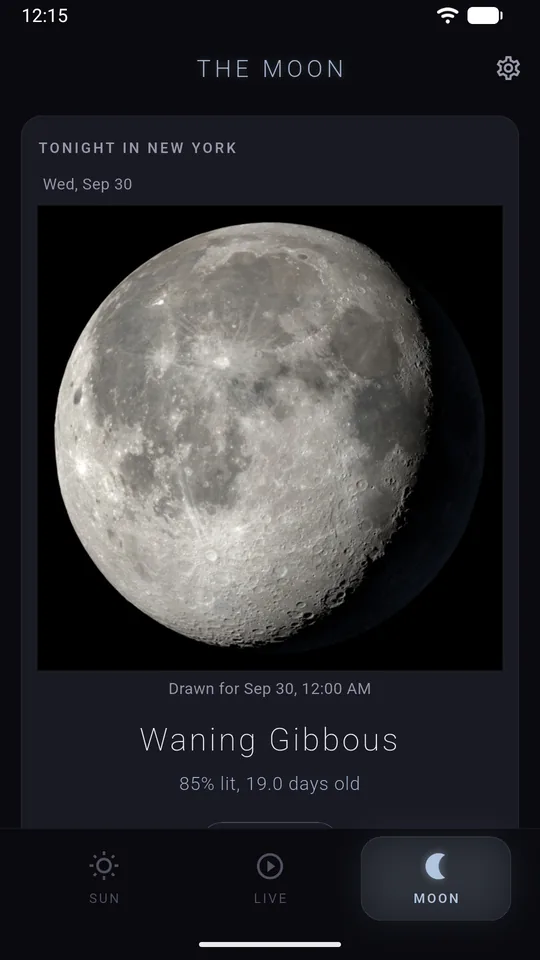
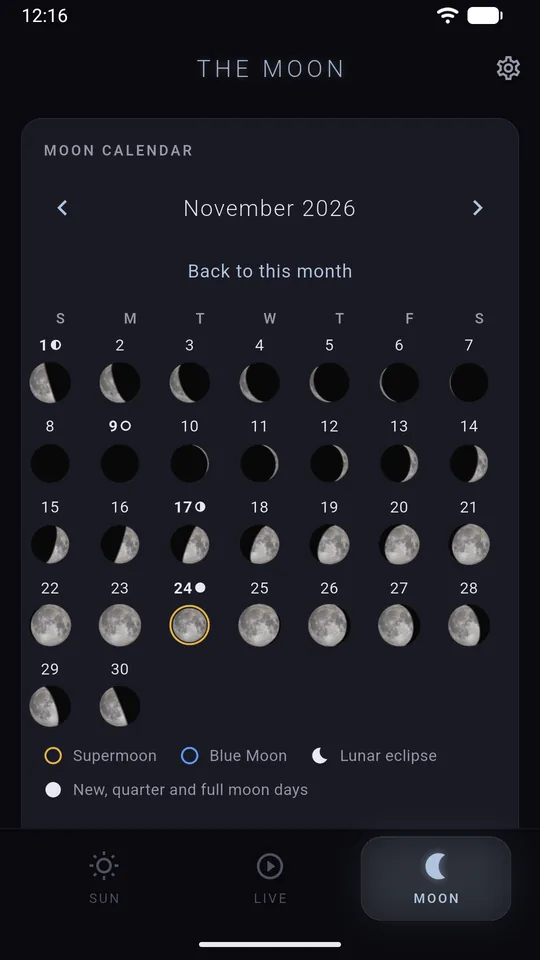
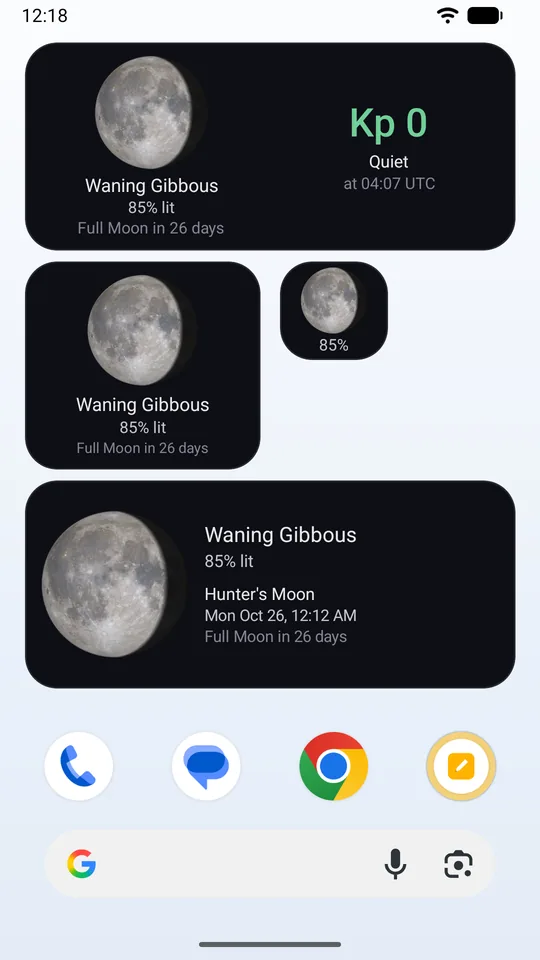
Lumara 2.0 on Android, the night of September 29 to 30, 2026, in New York: tonight's Moon, the November 2026 calendar with the gold supermoon ring, and the widgets.
What is new on the MOON tab?
- Tonight: the phase, how much of the Moon is lit, its age in days, its distance, and moonrise and moonset to the minute in your city's own time. The rise is this evening's and the set is the one after it.
- Tonight's path: when the Moon rises, how high it climbs and in which direction, and when it sets.
- Next up: the next four phases, and the next full moon's traditional name with a line on where the name comes from (Northern Hemisphere names).
- Month calendar, January 2026 to December 2030, with the Moon drawn for every day. Supermoons (full moons near the Moon's closest point to Earth) get a gold ring, and Blue Moons (a second full moon in one calendar month, or the third of four in a season) a blue ring.
- The Moon on any date from 1900 to 2100, a birthday for example: that night's Moon, how much of it was lit, and the nearest full moon.
- Moon events to 2030: supermoons, micromoons (full moons near their farthest point from Earth), Blue Moons and lunar eclipses, with distances in miles or kilometers, eclipse times, and whether you can see each eclipse from your city.
- The Moon is the right way up for your hemisphere, and on tablets the tab uses two columns.
Some Moon times in 1.1.1 were off by hours. In 2.0 a new engine works out the Moon on your phone. Full moon and supermoon times come from the published tables of Fred Espenak, the retired NASA astrophysicist known for eclipse predictions, checked against the US Naval Observatory. Lunar eclipse times come from NASA's eclipse catalog, checked against Espenak's EclipseWise. The app now uses the same table of Moon times as this site's full moon calendars, so the two agree to the minute.
The big Moon is NASA's own rendering for the current hour when NASA has one. When it has none, and always during a lunar eclipse, Lumara draws the Moon on the phone from a map made by NASA's Lunar Reconnaissance Orbiter, a spacecraft that has circled the Moon since 2009, with no tint and no outline. During an eclipse the drawing shows Earth's shadow.
Which widgets come with Lumara 2.0?
| Android | iPhone | |
|---|---|---|
| Widgets | Moon (resizes down to one cell), Moon wide, Moon and Solar Storm, Solar Storm | Moon (small, medium and three Lock Screen sizes), Moon and Solar Storm (medium), Solar Storm (small and two Lock Screen sizes) |
| Styles | Dark, Smoke (see-through dark), System colors (your phone's own colors, Android 12 and later) | Dark, System colors (follows Light or Dark mode) |
| Needs | Android 8.0 or later | iOS 17 or later |
The Moon widgets work without internet, because the Moon is worked out on the phone. On a supermoon or Blue Moon day they say so in words. Solar Storm shows the Kp index from NOAA, the US agency that forecasts space weather: a 0 to 9 measure of how disturbed Earth's magnetic field is (Kp 5 or higher is a storm), and fetches a new reading about once an hour. A tap opens the MOON or SUN tab.
How do the alerts work?
- Full moons: every full moon, or supermoons only, at a time you pick.
- Lunar eclipses: the ones you can see from your city, or all of them. One alert at your time on the day before the eclipse night, and another an hour before the eclipse starts.
- Solar storms: from NOAA's 3 day forecast, when a storm of Kp 5 or higher is forecast to start (you can raise the level to 6 or 7).
All three are off until you turn them on in Settings under ALERTS. Full moon and eclipse alerts can also be turned on from the card on the MOON tab. They are scheduled on your phone and no server sends them. Lumara asks for permission to show notifications only when you turn one on.
Why does every Sun photo now say when it was taken?
On September 21, 2026, NASA's "latest" Sun pictures stopped updating, while the files kept loading as if nothing had changed. Lumara 1.1.1 moved to a backup source only when NASA stopped answering, and NASA never stopped answering, so the app kept showing that one picture. Lumara 2.0 checks when each photo was taken or posted. When a source is late it asks the next one (for most views the Lockheed Martin Solar and Astrophysics Laboratory first, then NASA, then Helioviewer, a public archive of Sun pictures), and when none has a recent photo it shows the newest one and says how old it is.
The LIVE tab had the same problem. On September 28, 2026, NASA's rolling 24 hour movie showed September 23 on every frame. Last 24 Hours now plays Lumara's own movie of the Sun, made from one photo every 5 minutes and rebuilt about every 3 hours, and the LIVE tab opens on it. Each new version of the movie downloads once and then plays from the phone. The dashboard on this site plays the same movie. Last 48 Hours still plays NASA's movie, says when it is out of date, and can ask Helioviewer to build a fresh one.
The SUN tab also has a new solar storm card with NOAA's Kp index, next to the flares and coronal mass ejections (clouds of material thrown off the Sun) from the last 7 days.
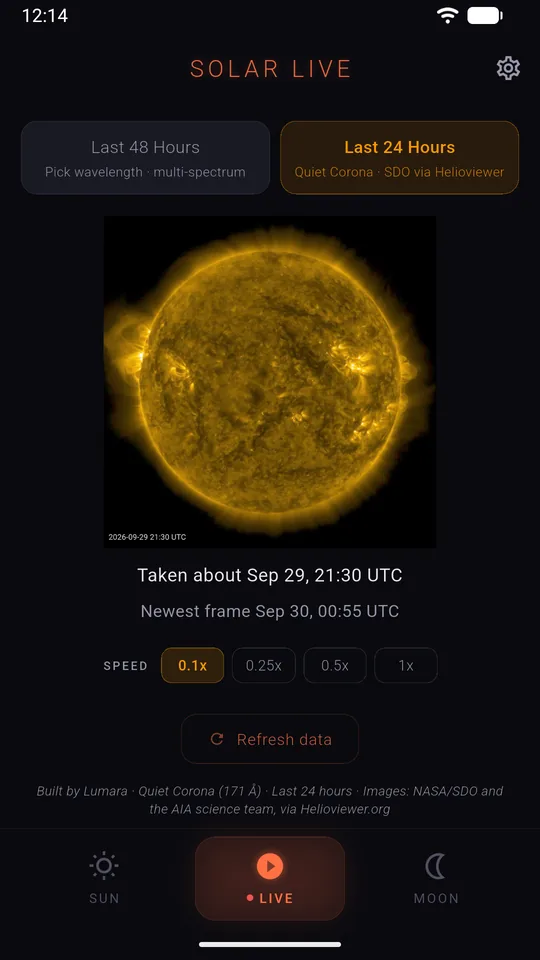
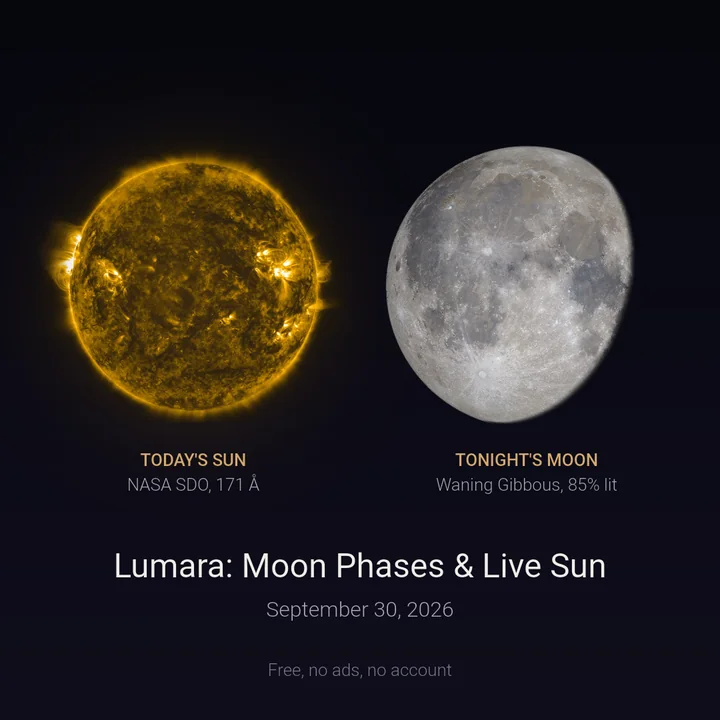
Left: Last 24 Hours playing Lumara's own Sun movie. Right: the Share Lumara picture, made on the phone on September 30, 2026.
What stays on your phone?
- Lumara starts with a city that matches your phone's time zone. There is no GPS and no location permission, and you can pick any of 170 cities.
- Your city and settings stay on your phone, and Lumara never sends them anywhere. Your phone's own backup (Google backup on Android, iCloud backup on iPhone) can include them.
- No account, no ads, no analytics and no tracking. NASA's space weather reports reach the app through Lumara's own small server, which stores nothing about you, so no NASA key is built into the app.
- Lumara counts how many times you open it, on your phone, so it can ask your app store to show its rating pop-up once per major version. The store decides whether it appears, and Lumara never sees your rating.
- Settings > Share Lumara draws a square picture of today's Sun and tonight's Moon on your phone and opens your share menu with a link to Lumara.
The full policy is at Lumara's privacy and support page.
What do you need to run Lumara 2.0?
| Lumara 2.0 | Widgets | |
|---|---|---|
| iPhone and iPad | iOS 15 or later (1.1.1 needed iOS 13) | iOS 17 or later |
| Android | Android 8.0 or later (unchanged) | Android 8.0 or later; System colors needs Android 12 |
Common questions.
Is Lumara 2.0 free?
Yes. Everything in 2.0 is free, with no ads, no account and no in-app purchases.
Does Lumara need my location?
No. It picks a starting city from your phone's time zone and never asks for GPS or location permission. You can change the city in Settings at any time.
Do the Moon widgets need internet?
No. The Moon is worked out on the phone, so the Moon widgets keep working offline. The Solar Storm widget needs a connection to fetch NOAA's Kp index, and it says so when its reading is more than 3 hours old.
Will my settings carry over from 1.1.1?
Yes. Every setting from 1.1.1 carries over, and the update shows a short What's new sheet once.
Why do some Sun photos say "Posted" and others "Taken"?
Helioviewer gives the time each photo was taken. NASA, the Lockheed Martin lab and SOHO (the ESA and NASA spacecraft behind the Inner Corona view) give the time the file was posted, which runs about 15 minutes to an hour after the photo was taken. Lumara shows whichever time the source gives and says which one it is.
Explore more from Lumara.
Full moon calendar 2027 · Supermoon dates · Live NASA Sun image · More from the log